
The Audio Architecture: Beating the Cloud Bottleneck
Why I ditched the "Spotify Tax" and YouTube cookie headaches for a locally-hosted, multi-room audio system. An architectural deep-dive into hardware passthrough and local media.
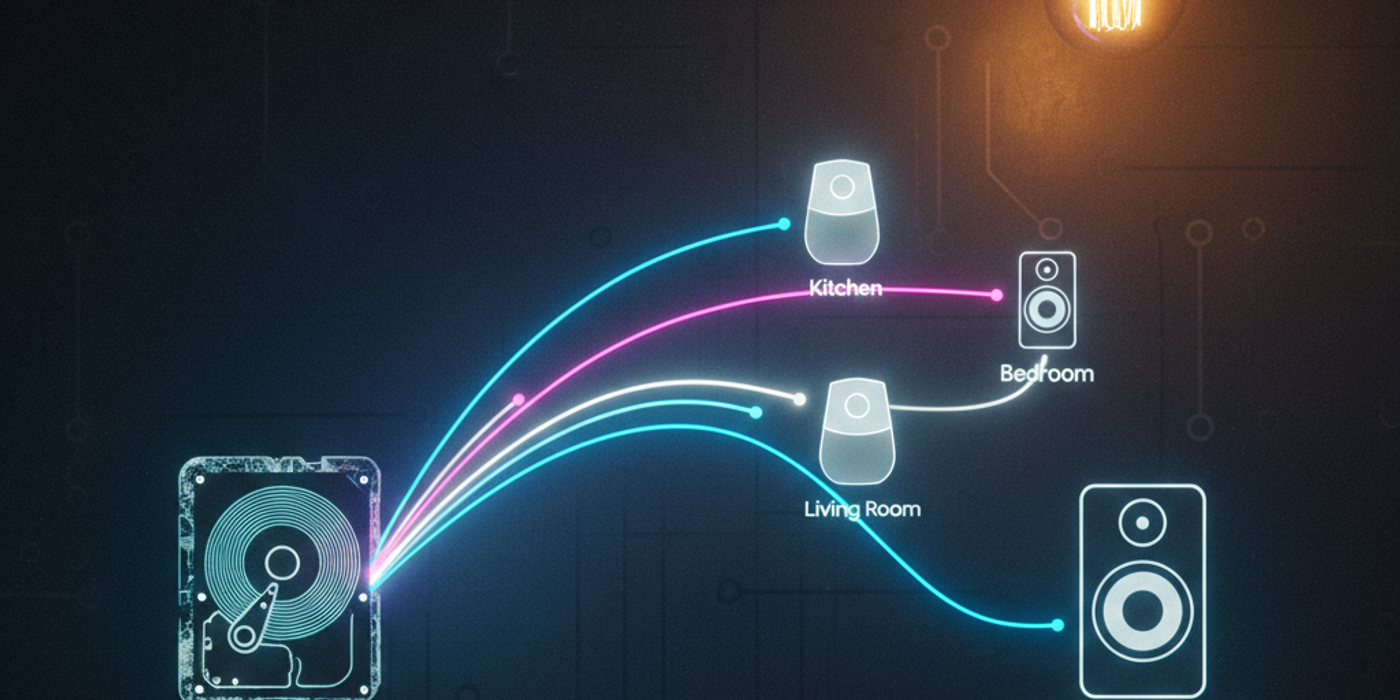
The Why — Cloud Audio Is a Smart Home Failure Point
At first glance, Spotify or YouTube Music seem like obvious choices.
I tried both.
❌ Spotify — The Subscription Tax
- 12€/month
- No ownership of media
- Locked into external licensing decisions
- Requires internet connectivity
- Yet another recurring cost
For a core house function, that’s architectural debt.
If my lighting doesn’t depend on a subscription, why should my music?
❌ YouTube Music — The Cookie Nightmare
On paper, YouTube Music looks hackable.
In reality:
- Constant cookie authentication issues
- API instability
- Sudden breakage after backend changes
- Random re-logins required
It worked… until it didn’t.
And in a smart home, “sometimes works” is the same as “broken.”
The Core Problem
Cloud music introduces:
- External authentication layers
- API fragility
- Internet dependency
- Recurring cost
- Latency
That’s five failure points for something that should be as reliable as flipping a light switch.
Time for an Architectural Pivot.
The Pivot — Local-First Audio
Instead of renting access to music…
I own it.
High-quality audio files are stored directly on the laptop SSD where Home Assistant runs.
No cloud. No auth. No API. No subscription.
Just files.
The moment I moved music storage local, the entire architecture simplified.
Core Component — Music Assistant
If Home Assistant is the operating system of the house…
Music Assistant is the operating system of music inside HA.
It provides:
- Media indexing
- Library management
- Multi-room playback
- Player grouping
- Fast, local streaming
Installation Overview
Inside Home Assistant:
- Install Music Assistant from HACS or the official add-on repository.
- Define a local media directory:
media_dirs: music: /media/music - Point it to the SSD folder where audio files are stored.
- Let it scan and index your library.
- Expose your media players.
Done.
No OAuth dance. No refresh tokens. No cloud handshake.
Hardware Stack — Solving the Speaker Problem
Google Home Minis are everywhere in my house.
Cheap. Stable. Well-supported.
But their speakers are terrible.
So I introduced a Hardware Passthrough Layer.
Each Google Home Mini is paired via Bluetooth to a high-quality external speaker.
- Google Mini = network endpoint
- Bluetooth Speaker = real audio output
- Mini default output = paired speaker
This solves the “tiny smart speaker” limitation without replacing hardware.
Logical Grouping — Whole House Mode
In the Google Home app:
- I created a “Whole House” group
- Added all Google Minis
- Exposed the group to Home Assistant
Now Home Assistant sees:
media_player.whole_houseOne entity. Every room.
Architecture Overview
Here’s the actual data flow:
Audio Files
FLAC/MP3] A2[Laptop SSD
Fast Access] A3[No Internet
Required ✓] end subgraph CORE["🧠 HOME ASSISTANT CORE"] B1[Music Assistant
Library Management] B2[Media Indexing
& Cataloging] B3[Streaming Engine
Local Wi-Fi] end subgraph DISTRIBUTION["📡 NETWORK DISTRIBUTION"] C1[Google Home Mini
Kitchen] C2[Google Home Mini
Living Room] C3[Google Home Mini
Bedroom] C4["Whole House Group"
media_player.whole_house] end subgraph PASSTHROUGH["🔊 AUDIO PASSTHROUGH"] D1[Bluetooth
Connection] D2[Wireless
Pairing] D3[Audio
Routing] end subgraph OUTPUT["🎵 HIGH-QUALITY OUTPUT"] E1[Premium Speaker
Kitchen] E2[Premium Speaker
Living Room] E3[Premium Speaker
Bedroom] end A1 -.->|Stored On| A2 A2 -->|Zero Cloud Dependency| B1 B1 -->|Indexed By| B2 B2 -->|Streams Via| B3 B3 -->|Local Network| C4 C4 -.->|Unified Control| C1 C4 -.->|Unified Control| C2 C4 -.->|Unified Control| C3 C1 -->|BT Signal| D1 C2 -->|BT Signal| D2 C3 -->|BT Signal| D3 D1 -->|High-Fidelity Audio| E1 D2 -->|High-Fidelity Audio| E2 D3 -->|High-Fidelity Audio| E3 A3 -.->|Guarantees| B3 style STORAGE fill:#c8e6c9,stroke:#1b5e20,stroke-width:3px,color:#000 style CORE fill:#ffe0b2,stroke:#e65100,stroke-width:3px,color:#000 style DISTRIBUTION fill:#bbdefb,stroke:#0d47a1,stroke-width:3px,color:#000 style PASSTHROUGH fill:#e1bee7,stroke:#4a148c,stroke-width:3px,color:#000 style OUTPUT fill:#fff59d,stroke:#f57f17,stroke-width:3px,color:#000 style A2 fill:#a5d6a7,stroke:#1b5e20,stroke-width:2px,color:#000 style A3 fill:#81c784,stroke:#2e7d32,stroke-width:2px,color:#000 style B1 fill:#ffcc80,stroke:#e65100,stroke-width:2px,color:#000 style C4 fill:#90caf9,stroke:#0d47a1,stroke-width:2px,color:#000 style E1 fill:#fff176,stroke:#f57f17,stroke-width:2px,color:#000 style E2 fill:#fff176,stroke:#f57f17,stroke-width:2px,color:#000 style E3 fill:#fff176,stroke:#f57f17,stroke-width:2px,color:#000
What This Means
- Audio never leaves the house.
- Streaming happens over local Wi-Fi.
- Google devices act as distribution nodes.
- Bluetooth handles the final audio output stage.
It’s simple. That’s the point.
The Result — Zero Bottlenecks
After the pivot:
⚡ Instant Response
Press play → music starts immediately.
No API call. No authentication delay. No buffering.
💸 Zero Subscription Fees
- No 12€/month Spotify tax
- No platform lock-in
- No licensing anxiety
Music becomes infrastructure — not a service.
🔒 100% Uptime (Even Offline)
If the internet goes down:
- Lights still work.
- Automations still work.
- Music still works.
Because it’s local.
That’s the Bare Metal philosophy.
Key Architectural Lessons
- Eliminate recurring cost where possible.
- Remove cloud dependencies for core house functions.
- Use Hardware Passthrough instead of replacing entire stacks.
- Own your media.
- Treat music as infrastructure, not entertainment.
Final Thought
Cloud services are convenient.
Until they aren’t.
If your house depends on someone else’s server to play a song in your kitchen, you don’t own your system.
You’re renting it.
This multi-room setup isn’t flashy.
It’s not trendy.
But it’s fast. It’s reliable. And it works every single time.
In Bare Metal Home, that’s the only metric that matters.